


Invoice Automation in 2026: 8 Tools Compared on OCR, Payment Rails, and Agent Compatibility
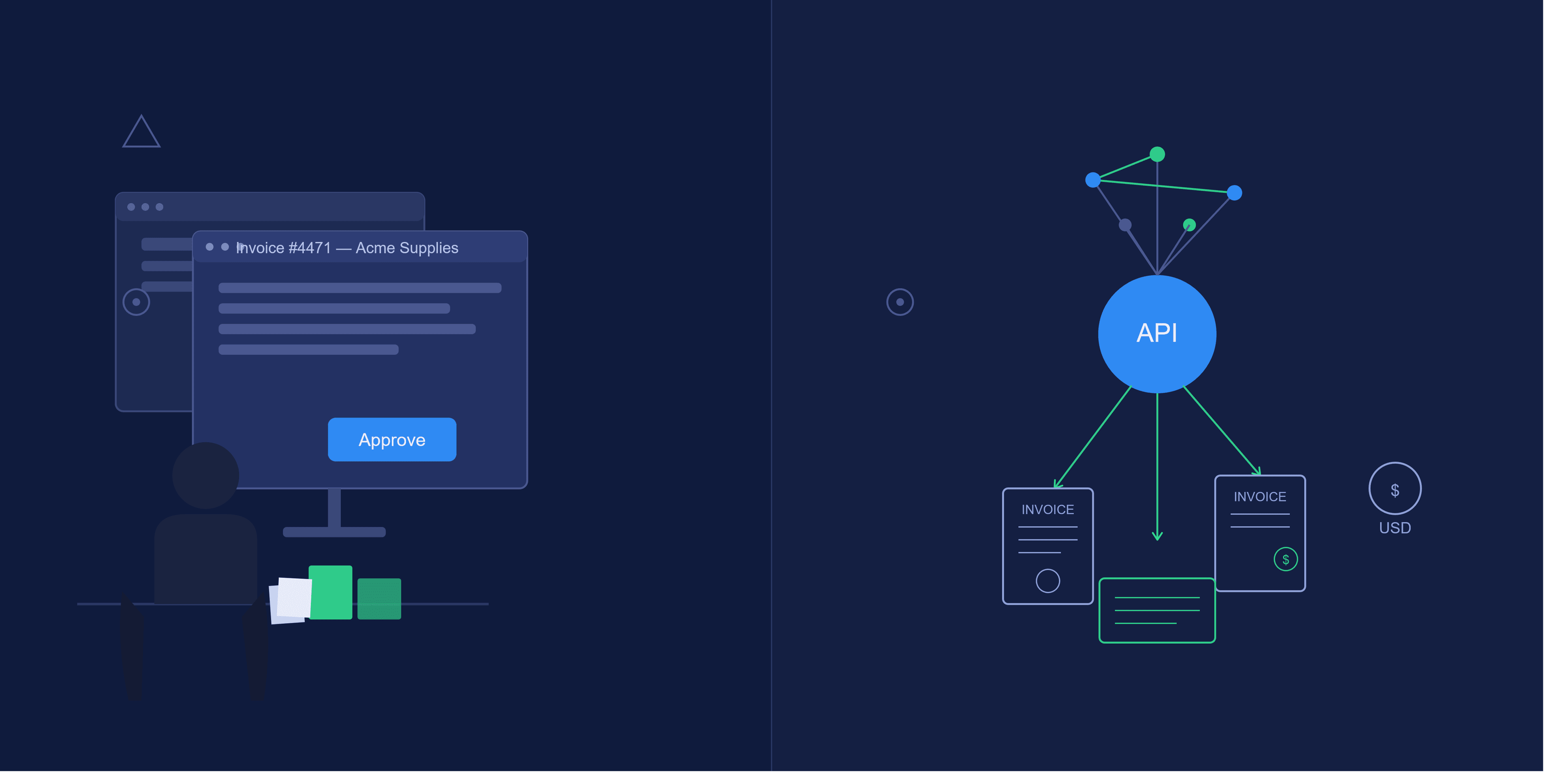
Invoice automation tools in 2026 fall into two architectural categories: platforms that reduce the time a human spends on invoice work, and platforms that remove the human from routine execution entirely. That distinction is what separates the tools worth evaluating in 2026 from the ones built for 2022.
Ardent Partners’ State of ePayables 2025 report found that 50% of B2B invoices were processed without manual intervention by the end of 2025. Closing the remaining 50% requires a platform architecture where an LLM can call an API, make decisions within configured guardrails, and complete a payment cycle without a human opening a browser tab. This article evaluates eight tools across seven criteria to show exactly where each tool sits on that spectrum.
How We Evaluated: The Seven Criteria
Every invoice automation tool in this roundup is assessed across six standard dimensions and one that most comparisons omit entirely: agent compatibility.
The six standard criteria are:
- OCR/data capture accuracy: field-level extraction on structured and non-standard invoice formats
- Approval workflow configurability: rule-based thresholds, multi-level routing, exception handling
- Payment rails: ACH, wire, RTP, and stablecoin support
- Native accounting integrations: sync depth with QuickBooks, Xero, and NetSuite
- AI capabilities: what the AI actually does, and whether it suggests or executes
- Pricing transparency: whether you can get a number without a sales call
The seventh criterion is agent compatibility, defined by whether a tool can execute an invoice workflow, such as create, send, monitor, and reconcile, without a human initiating each step from a UI. That means evaluating if the tool exposes an MCP endpoint, a properly scoped API, or an agent execution layer that an LLM can call programmatically.
Tools designed for human-first operation with AI bolted on have a ceiling. They reduce the time a human spends on invoice work, but keep a human in the loop:

Tools designed around agent execution invert the model: a human configures guardrails once, and the agent handles routine execution, surfacing only exceptions:

Legacy AP Platforms: Bill.com, Tipalti, Stampli
Legacy AP platforms, such as Bill.com, Tipalti, and Stampli, represent the current mainstream of invoice automation. Each reduces manual AP work significantly, and each keeps a human as the required final actor on every transaction.
Bill.com
Bill.com is the platform most growth-stage companies adopt before they start asking harder architectural questions about agent execution.
- OCR/data capture: Bill.com extracts vendor name, invoice number, amount, and due date reliably on well-formatted invoices. Field-level accuracy degrades on non-standard layouts (scanned PDFs from smaller vendors, for instance), and the platform handles this through a training mechanism.
- Approval workflows: Configurable by dollar threshold, vendor category, and user role. Multi-level routing works for most SMB approval chains. Enterprise-grade exception handling (escalation timers, fallback approvers, delegation) requires more setup than the defaults suggest.
- Payment rails: ACH, check, wire, and international via Bill.com’s network. No stablecoin support. International payments carry currency conversion fees that vary by corridor.
- Accounting integrations: Two-way sync with QuickBooks Online, QuickBooks Desktop, Xero, NetSuite, and Sage Intacct. Paid bills write back with vendor, amount, GL code, and payment date.
- AI capabilities: AI suggests GL codes based on historical coding patterns. Suggestions appear in the UI, and a human makes the final selection. There is no autonomous execution path.
- Pricing: Starts at approximately $49/user/month for the Essentials tier. Grows quickly with team size.
- Agent compatibility: None. Bill.com doesn’t expose an MCP endpoint or a publicly documented agent API. Every action requires a human session.
Tipalti
Tipalti is built for global payments at scale, making it a capable platform for paying contractors or vendors across countries.
- OCR/data capture: Tipalti’s Invoice Capture Agent uses AI and OCR to extract and code invoice data, including header and line-item fields. A broader AI layer, Tipalti Pi, runs duplicate detection, PO matching, GL coding, and fraud checks in the background for all customers at no added cost. Illegible or badly scanned invoices route to a human review queue rather than failing silently. The platform handles high volume reliably once suppliers are onboarded into its portal, and ad-hoc invoice intake from outside that flow is weaker.
- Approval workflows: Multi-level, configurable approval chains with delegation, dollar-threshold rules, and entity-specific routing for multi-entity setups.
- Payment rails: 190+ countries, 120+ currencies, ACH, wire, local bank transfer, check, and PayPal. No native stablecoin support. That breadth is the platform’s core value proposition.
- Accounting integrations: QuickBooks Online, NetSuite, Xero, Sage Intacct, and Microsoft Dynamics. Sync is generally reliable, though NetSuite integration requires more configuration than QuickBooks Online.
- AI capabilities: Tipalti’s AI agents code invoices, route approvals, match POs, and flag duplicates. A human still approves the actual payment, so "autonomous" here means task automation inside the AP process, not agent-initiated fund transfers.
- Pricing: Starts at approximately $99/month base plus transaction fees that scale with payment volume and corridors used. Full pricing requires a sales conversation.
- Agent compatibility: None. No MCP endpoint, no documented agent execution API.
Stampli
Stampli is intended for workflows where several people touch an approval, and it runs its own payments on top of that.
- OCR/data capture: Stampli extracts invoice data and suggests GL coding through its AI, Billy the Bot, and extraction is competent on standard layouts. Stampli now reports that its AI handles around 87% of finance work across more than 2,700 fields, with every suggested entry held for human review before it posts to the ERP.
- Approval workflows: Stampli’s approval routing allows you to configure multi-level routing, department-specific chains, and dollar thresholds, and pull in stakeholders outside finance while controlling how much AP access they get. The audit trail is clean and complete, with every comment, approval, and exception timestamped and attributed.
- Payment rails: Stampli runs its own payment execution through Stampli Direct Pay. You can pay vendors by ACH, paper check, virtual card, or international transfer to more than 100 countries, with FX handling and pre-payment validation against your ERP before any funds move. Stampli Card adds a credit card program for AP spend at no extra charge. Approvals, payment, and reconciliation stay inside one platform.
- Accounting integrations: Stampli syncs with QuickBooks, Xero, NetSuite, Sage Intacct, Microsoft Dynamics, and others, covering the standard fields reliably.
- AI capabilities: Billy the Bot suggests GL codes, flags anomalies, and learns from your historical coding. Every suggestion routes through a human before it posts, so the AI speeds up the work rather than acting on its own.
- Pricing: Stampli doesn’t publish pricing, so evaluating fit as a small business starts with a sales call, which adds friction when you’re comparing several tools quickly.
- Agent compatibility: None.
Spend Management Hybrids: Ramp, QuickBooks Online Advanced
Spend management hybrids approach AP automation from a different starting point. They started with corporate card control and accounting consolidation instead of dedicated invoice processing. That start shaped what they do well and where they hit ceilings.
Ramp
Ramp started as a corporate card platform and added AP automation later, and that order still shapes how the invoice product behaves.
- OCR/data capture: Ramp captures card receipts and, through Bill Pay, vendor invoices, where it claims 99% OCR accuracy with line-item extraction. The invoice-capture side is more capable than Ramp’s card-first history would suggest.
- Approval workflows: Ramp’s approval routing is configurable, and it’s tied closely to the card spend controls the platform was built around. Thresholds, policy rules, and spend limits govern card usage first, and the AP module inherits that framework. Payment release approvals let you separate the person who approves a bill from the person who releases the payment, though layered multi-releaser approval isn’t supported yet.
- Payment rails: Ramp Bill Pay covers ACH, same-day ACH, check, domestic wire, international wire over SWIFT in USD, and card payments using an existing Ramp card or a single-use virtual card. There’s no stablecoin support.
- Accounting integrations: QuickBooks Online and Xero sync natively. Deeper ERP connections to NetSuite, Sage Intacct, Microsoft Business Central, and Acumatica sit behind Ramp Plus, the paid tier, rather than the free plan.
- AI capabilities: Ramp markets four AI agents inside Bill Pay for invoice coding, fraud detection, approval summaries, and card payments, and describes them as taking action without manual intervention. How much of that is genuine unattended execution versus assisted automation is worth testing against your own workflow before you rely on it, though the framing has moved well past simple transaction categorization.
- Pricing: The base plan is free, with transaction fees on certain payment types. The advanced ERP integrations noted above require the paid Ramp Plus tier.
- Agent compatibility: None. Ramp exposes no MCP endpoint or agent execution API.
QuickBooks Online Advanced
QuickBooks Advanced tier adds AP functionality inside the accounting system they already use, which removes the sync work every other tool on this list requires.
- OCR/data capture: QuickBooks extracts data from uploaded vendor bills, and field-level accuracy on non-standard layouts is limited next to dedicated OCR tools like Rossum. Extraction works best on clean, structured PDF invoices from established vendors.
- Approval workflows: The Advanced tier includes custom user roles and multi-step bill approval, configurable by amount and role, which covers most standard approval chains. Multi-entity and multi-department routing is where it hits a ceiling, since QuickBooks Online isn’t built for native multi-entity accounting.
- Payment rails: Vendor payments run through QuickBooks Bill Pay, using standard ACH, Faster ACH for next-business-day delivery on eligible payments, or a paper check that QuickBooks issues and mails. There’s no wire, no international payment, and no stablecoin support. (Faster ACH carries an added fee and a per-payment cap.)
- Accounting integrations: QuickBooks is the accounting system, so paid bills post to the general ledger directly, with no middleware layer between the AP tool and the books.
- AI capabilities: QuickBooks turns uploaded invoices into pre-filled bills and suggests coding in the workflow, with entries held for review before they post. Intuit has begun marketing broader AI agents across bookkeeping and bill pay, so the direction is moving toward more automation, though the AP path today still routes through human review.
- Pricing: Approximately $275/month for the Advanced tier.
- Agent compatibility: None.
Document Intelligence & Adjacent Tools: Rossum, Zoho Invoice
AI and OCR-first platforms lead with document intelligence rather than workflow management or payments, which puts them in a different position from the tools built around approval routing or banking.
Rossum
Rossum is a technically capable pure OCR and document intelligence platform, but it also requires the most work to become an automated workflow.
- OCR/data capture: Rossum runs LLM-based document intelligence that learns your specific invoice formats. Most AP platforms struggle with non-standard layouts (invoices from smaller vendors, handwritten amounts, non-English documents, and unusual line-item structures), and Rossum handles these well once it has trained on your supplier corpus.
- Approval workflows: Rossum offers workflow configuration for routing and approval, including linear, parallel, and automatic designs. The workflows are functional, though extraction is where the platform’s real value sits.
- Payment rails: None. Rossum is an extraction and workflow platform, and payment execution requires integration with a separate payment system.
- Accounting integrations: Pre-built connectors cover SAP, Oracle, NetSuite, Coupa, Workday, and Microsoft Dynamics 365 Business Central, plus QuickBooks Online Advanced and Xero. The NetSuite connection runs over NetSuite’s SOAP API, and sync depth depends on how you configure the integration.
- AI capabilities: The core product is AI, specifically document intelligence trained on your invoice formats. Rossum now markets AI agents that validate data, request approvals, send emails, and write to your ERP in line with your configured procedures. Those agents act on document and ERP-write steps while payment execution stays outside the platform.
- Pricing: The Starter plan is a published $18,000/year subscription (roughly $1,500/month) that bundles a document allotment, a 12-month archive, and unlimited seats, with Business, Enterprise, and Ultimate tiers at custom pricing. ERP connectors are add-ons, and there’s a one-year minimum contract.
- Agent compatibility: Rossum exposes a REST API (key passed in the Authorization header). You can build an orchestration layer around its extraction output, but Rossum doesn’t provide that orchestration layer itself. You’re building the workflow on top of the API, not connecting to a platform that has already modeled the invoice execution lifecycle.
Zoho Invoice
Zoho Invoice is an accounts receivable tool. It handles the invoices you send to customers, and it has no path for the vendor bills you receive. Since it turns up in several invoice automation roundups, the category distinction is worth settling before any detailed evaluation.
- OCR/data capture: No OCR on inbound vendor invoices. The product simply doesn’t handle that use case.
- Approval workflows: No approval workflows for inbound vendor bills.
- Payment rails: ACH collection via Stripe integration and PayPal. These are payment collection rails for your own invoices, not outbound payment rails for vendor bills.
- Accounting integrations: Connects to Zoho Books, with limited integration outside the Zoho ecosystem.
- AI capabilities: Recurring invoice scheduling, automated payment reminders, auto-categorization of customer payments.
- Pricing: Free to use, with a cap of roughly 1,000 invoices per year. Zoho markets it as a fully free product rather than a free tier sitting under a paid plan, and the paid Zoho products (Zoho Books for accounting, Zoho Billing for subscriptions) are separate tools.
- Agent compatibility: None.
Meow: Agent-Native Invoice Automation via MCP
Meow is the only tool in this comparison built for agent execution as the primary interface, not as an add-on to a human-first dashboard.
Every other platform is built for human-first operation, with AI features layered on to reduce the time a human spends. Meow exposes banking operations like invoice creation, bill payment, payment monitoring, and reconciliation through a Model Context Protocol endpoint at https://mcp.meow.com. Claude, ChatGPT, Cursor, and Gemini connect to this endpoint directly, meaning the invoice workflow runs inside your existing LLM interface. Your agent does the AP work inside Meow, not you.
Setup
There are two ways to connect.
Option 1 (lowest friction): Open any Claude or ChatGPT session and paste:
1I want to get started with Meow for my AI agent. Read the docs at https://www.meow.com/skills.md and then set it up.The agent reads Meow’s skills documentation, downloads the Meow CLI, and walks through account connection. Authentication is passwordless: email plus one-time code.
Option 2: Manually add https://mcp.meow.com/cli as a custom connector in your AI app settings and restart to detect the server.
Scopes and Permissions
Start with meow.read (read-only access to balances, transactions, and statements). This takes roughly 10 minutes to configure and carries zero financial execution risk. You can verify what the agent sees before giving it execution capability.
Add meow.billing to enable invoice creation and sending. From that point, the agent can create, send, monitor, and remind on invoices without a human initiating each step.
Multi-agent architectures work natively. Each agent gets a scoped API key with independent permissions on the same account. One agent can handle bill review while another handles invoice sending, with separate permission scopes and no credential sharing between them.
Two Execution Modes
Supervised mode: The agent extracts invoice data, codes GL entries, and queues a payment batch. A human approves the batch with a single tap in the Meow dashboard. The agent helps eliminate the data entry and routing work, and a human keeps a hand on payment execution.
Autonomous mode: The agent operates within configured guardrails. You can run the agent on Claude with --dangerously-skip-permissions or inside an OpenAI agent loop to complete the full AP cycle. The human sees a monthly summary with anomaly flags rather than a batch approval queue.
The Meow Agent-Run AP Playbook specifies that the agent monitors a designated AP inbox, extracts vendor name, email, amount, due date, line items, bank account details, and reference numbers from each invoice, and confirms vendor matches before processing. New vendor bank accounts trigger step-up authentication as a fraud control.
Payment Rails and Reconciliation
ACH and wire are fee-free on invoices. Accepted payment methods include card, ACH, wire, and USDC.
USDC support is powered by Bridge’s Orchestration API. Meow generates unique deposit addresses on Ethereum and Solana per invoice (a dedicated address per transaction, not a shared wallet address) for clean reconciliation. USDC payments reconcile automatically to QuickBooks without manual journal entries.
Native accounting integrations cover QuickBooks, Xero, and NetSuite. Paid invoices sync automatically. USDC transactions are auto-categorized and marked paid.
Security
Meow is SOC 2 compliant. KYC/KYB runs through Plaid. PII stays out of LLM providers because the agent interacts with Meow's MCP endpoint, which handles the financial data layer separately from the LLM context. Agents can’t move funds unilaterally by default. The permission model requires explicit scope grants for execution.
Summary across the seven criteria:
- OCR/data capture: Field-level extraction on inbound invoices via the agent workflow
- Approval workflows: Supervised (batch tap-to-approve) or autonomous (guardrail-based) modes
- Payment rails: ACH + wire (fee-free), card, USDC on ETH + Solana
- Accounting integrations: QuickBooks, Xero, NetSuite, and automatic USDC reconciliation
- Agent compatibility: Native MCP endpoint, and the only tool in this comparison built for agent execution without a UI session
- Pricing: See meow.com for current pricing
Side-by-Side Comparison
The table below summarizes all eight tools across the seven evaluation criteria. The key column to read is "Agent/API Native", which shows exactly where each platform sits on the human-first versus agent-native spectrum.
| Tool | OCR/Capture | Approval Workflows | Payment Rails | Accounting Integrations | Agent/API Native | Starting Price |
|---|---|---|---|---|---|---|
Bill.com | Strong on standard formats; degrades on non-standard layouts | Rule-based, multi-level; solid for SMB chains | ACH, check, wire, international; no stablecoin | Two-way sync (QBO, QB Desktop, Xero at Team and up; NetSuite, Sage Intacct at Enterprise) | No MCP or agent API | ~$49/user/mo |
Tipalti | AI capture agent on header and line items; managed review queue for illegible invoices | Multi-level, multi-entity, delegation | 200+ countries, 120+ currencies; no stablecoin | QBO, NetSuite, Xero, Sage Intacct, Dynamics, SAP | No MCP or agent API | ~$99/mo base + fees |
Stampli | Competent extraction; collaboration and audit layer is the differentiator | Best-in-class audit trail; multi-department routing | Own execution via Direct Pay (ACH, check, virtual card, international to 100+ countries) | QBO, Xero, NetSuite, Sage Intacct, Dynamics | No MCP or agent API | Quote-based |
Ramp | 99% claimed on bills; card receipt capture strong | Configurable, tied to card spend controls | ACH, same-day ACH, check, domestic and international wire (SWIFT USD), card; no stablecoin | QBO, Xero native; NetSuite, Sage Intacct, Dynamics 365 BC, Acumatica on Ramp Plus | No MCP or agent API | Free base + transaction fees |
QuickBooks Online Advanced | Limited on non-standard layouts | Custom roles and multi-step approval; no native multi-entity | QuickBooks Bill Pay: ACH, Faster ACH, mailed check (no wire or international) | Native (QBO is the ledger, no middleware) | No MCP or agent API | ~$275/mo |
Rossum | LLM-based; strongest on non-standard, diverse supplier formats | Functional (linear, parallel, automatic); not the differentiator | None (extraction and workflow only) | Pre-built ERP connectors (SAP, Oracle, NetSuite, Coupa, Workday, Dynamics 365 BC, QBO Advanced, Xero) | REST API; build orchestration yourself | $18,000/yr Starter; custom above |
Zoho Invoice | No inbound OCR (AR tool, not AP) | None for inbound bills | AR collection only (Stripe, PayPal, others) | Zoho Books; thin outside Zoho | No MCP or agent API | Free (~1,000 invoices/yr cap) |
Meow | Agent-extracted via MCP workflow | Supervised (batch tap-to-approve) or autonomous (guardrail-based) | ACH, wire, card, USDC (ETH, Solana, Base) | QuickBooks, Xero | Native MCP endpoint (agent executes without a UI session) | See meow.com/mcp |
Bill.com, Tipalti, Stampli, Ramp, and QuickBooks Online Advanced treat "AI" as suggestions a human acts on inside a dashboard. Rossum treats "AI" as document extraction a developer builds a workflow around. Meow treats "AI" as an agent executing the full invoice cycle within configured guardrails, with no required human intervention per transaction.
Frequently Asked Questions
What is agent-native invoice automation and how does it differ from standard AP automation?
Agent-native invoice automation means an AI agent (such as Claude or ChatGPT) executes the full invoice workflow through an API or MCP endpoint without a human initiating each step from a UI. Standard AP automation reduces the time a human spends on invoice tasks but keeps a human as the required final actor. The architectural difference determines whether you get "faster humans" or "fewer humans in the loop."
Which invoice automation tools support stablecoin payments in 2026?
Among the eight tools evaluated here, only Meow supports stablecoin payments. Meow accepts USDC on Ethereum and Solana, powered by Bridge’s Orchestration API, with unique deposit addresses generated per invoice for clean reconciliation. Bill.com, Tipalti, Stampli, Ramp, QuickBooks Online Advanced, Rossum, and Zoho Invoice have no stablecoin support.
What is MCP and why does it matter for invoice automation?
MCP stands for Model Context Protocol, a standard that allows AI models like Claude, ChatGPT, and Gemini to connect to external services and execute actions programmatically. In invoice automation, an MCP endpoint means an AI agent can create invoices, trigger payments, and reconcile transactions without a human opening a browser session. Meow is the only tool in this comparison that exposes a native MCP endpoint at https://mcp.meow.com.
How long does it take to connect Meow to an existing AI agent setup?
The read-only meow.read scope (which gives an agent access to balances, transactions, and statements) takes approximately 10 minutes to configure and carries no financial execution risk. Adding meow.billing to enable invoice creation and sending is an incremental permission grant after that initial setup.
What is the difference between supervised mode and autonomous mode in Meow?
In supervised mode, the agent extracts invoice data, codes GL entries, and queues a payment batch, but a human approves the batch with a single tap before payment executes. In autonomous mode, the agent operates within configured guardrails. For example, auto-paying vendor bills within expected ranges while holding and alerting on anomalies. The human reviews a monthly summary rather than approving individual transactions.
Does Meow’s agent architecture expose sensitive financial data to LLM providers?
No. PII does not pass through LLM providers. The agent interacts with Meow’s MCP endpoint, which handles the financial data layer separately from the LLM context. KYC/KYB verification runs through Plaid, and Meow is SOC 2 compliant.
Can an AI agent pay international vendors without a human approving each transaction?
Through Meow, yes. In autonomous mode, an agent queues and executes payments to international vendors within guardrails the user configures, then reconciles automatically to QuickBooks or Xero. A human sets those guardrails and can revoke agent access at any time. None of the other seven tools in this comparison expose that execution path to an agent.
Test Meow's MCP in 10 Minutes
The "AI features" label covers a wide range of actual capability in 2026. The range runs from GL code suggestions that a human still has to confirm, up to an agent that monitors your AP inbox, extracts invoice data, validates vendor matches, queues or executes payments within guardrails, and reconciles to QuickBooks, all triggered by an MCP call rather than a dashboard session.
Every other tool in this comparison requires you to log into a dashboard to review, code, and approve. Meow connects to where you already work. If your workflow already runs through Claude or ChatGPT, the question is which platform was built to operate inside that environment from day one, and Meow is the only one in this comparison that was.
You can test that yourself. Open Claude Desktop or ChatGPT and paste:
1I want to get started with Meow for my AI agent. Read the docs at https://www.meow.com/skills.md and then set it up.The agent reads the skills documentation, installs the Meow CLI, and walks through account connection. Start with meow.read scope, which gives the agent read-only access to balances, transactions, and statements. It takes about 10 minutes to configure and carries no financial execution risk. Verify that the agent sees your account correctly, then add meow.billing to enable invoice creation and sending.
From there, the full invoicing-to-collection cycle (create, send, monitor, remind, and alert on overdue) runs from your chat interface. You configure what the agent can do autonomously and what requires your approval. The agent handles routine execution. You handle exceptions.
Connect your AI agent to Meow’s invoice workflow in about 10 minutes. Get started at meow.com.